№ 03 — Redact
App Store
Faces off.
Native macOS and iOS app that redacts faces and licence plates in photos and video — automatically, entirely on-device, without the cloud and without an account.
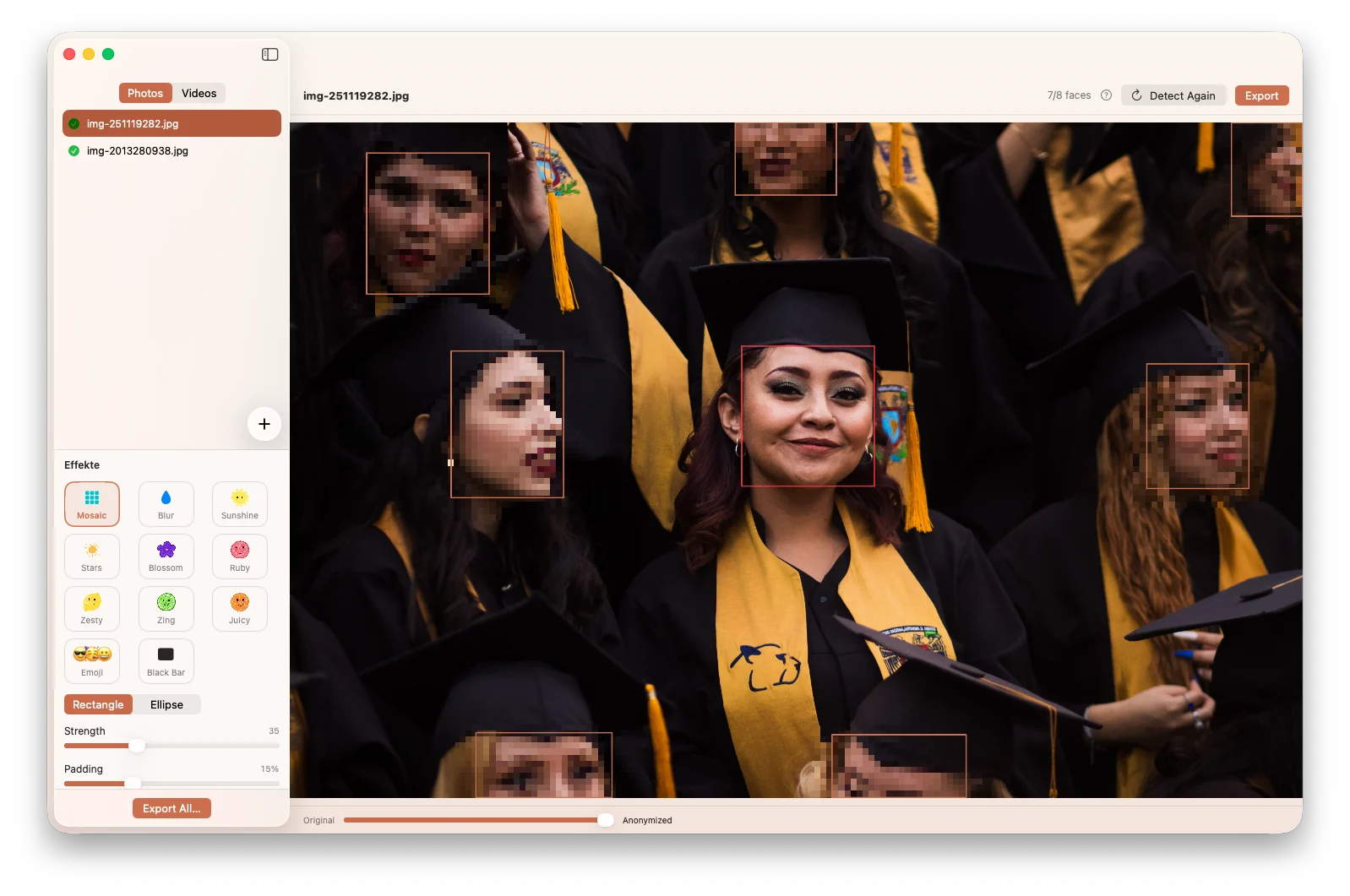
Native macOS and iOS app that redacts faces and licence plates in photos and video — automatically, entirely on-device, without the cloud and without an account.
Publishing demo photos without violating the personality rights of the people in them — that sounds simple, but it isn't. Existing tools are either CLI utilities like deface or uniface with no graphical interface, or App Store apps that secretly run as WebView wrappers around a cloud API.
Neither is fit for workshop or conference material that needs to be anonymised fast, locally, and without any data leaving the device.
Redact is a real native app — with first-class detection powered by a fine-tuned YOLOv11m model running fully on-device. No cloud, no account, no setup. Drag, drop, done.
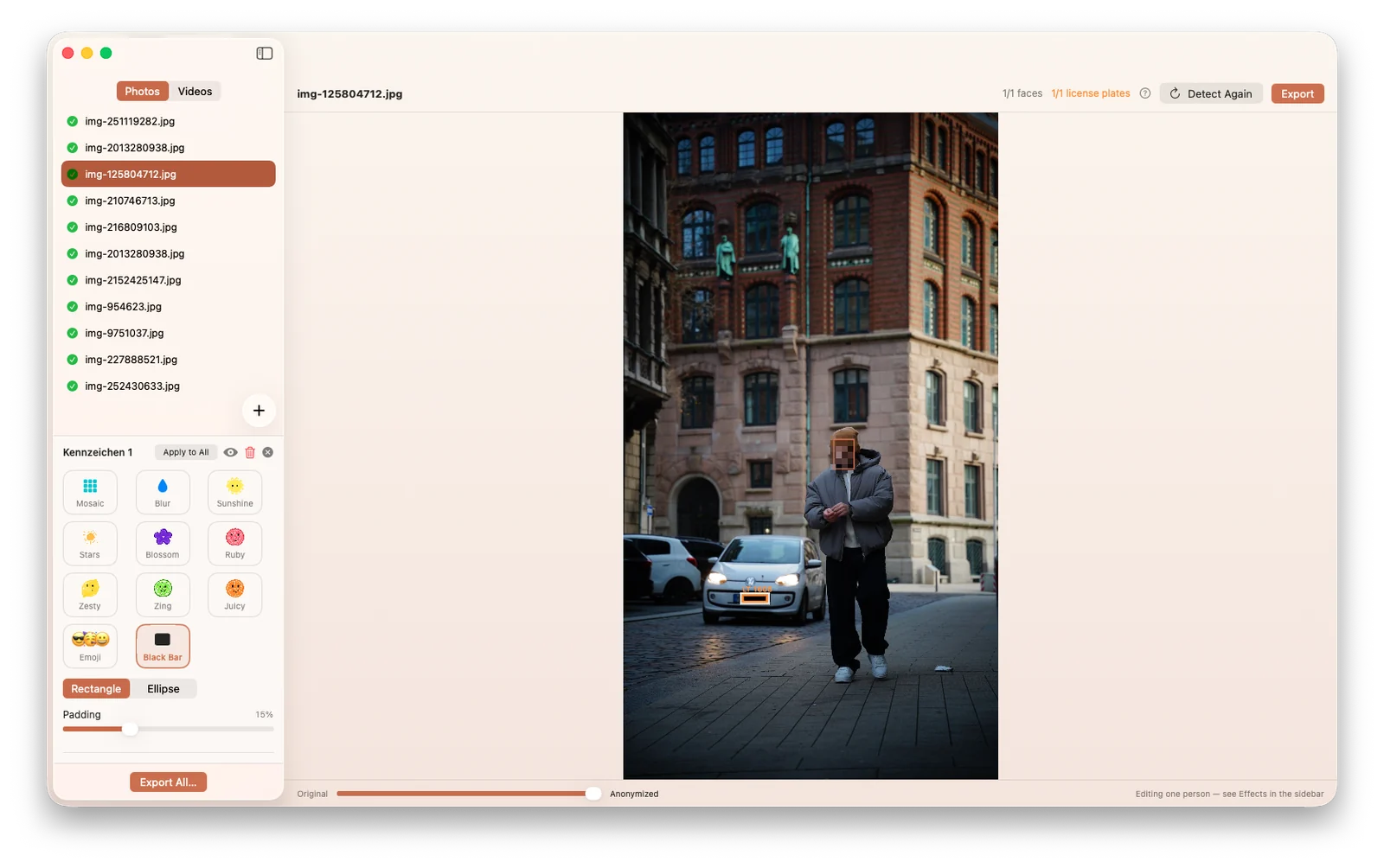
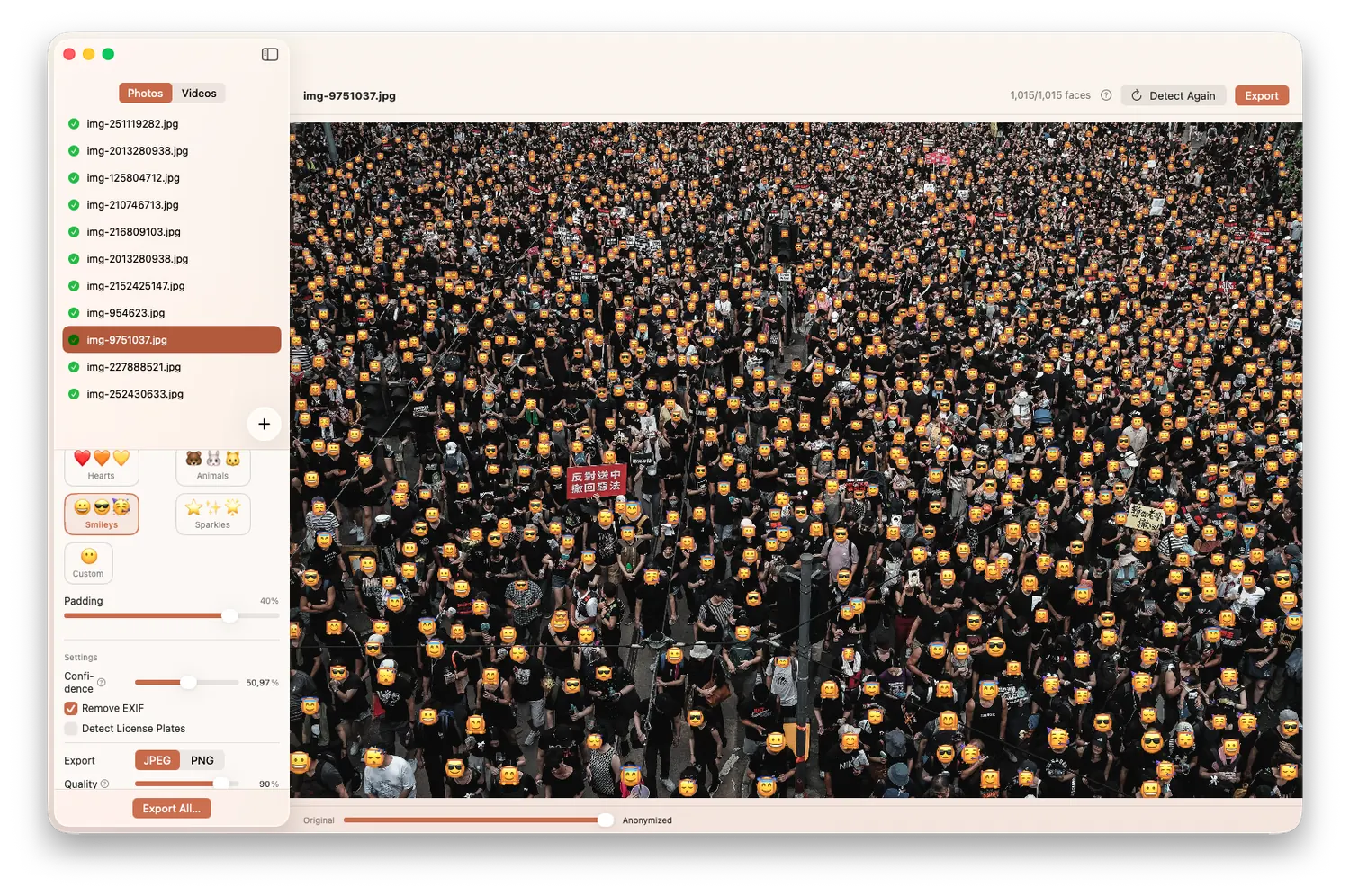
The model runs through Core ML on the Apple Neural Engine. Because the YOLO export is strongest on frontal views, its hits are merged by IoU with Apple's Vision framework, which covers profiles and partial occlusion. Large images additionally run through the model as overlapping tiles, so small faces don't shrink below the detection threshold. A second detector finds licence plates.
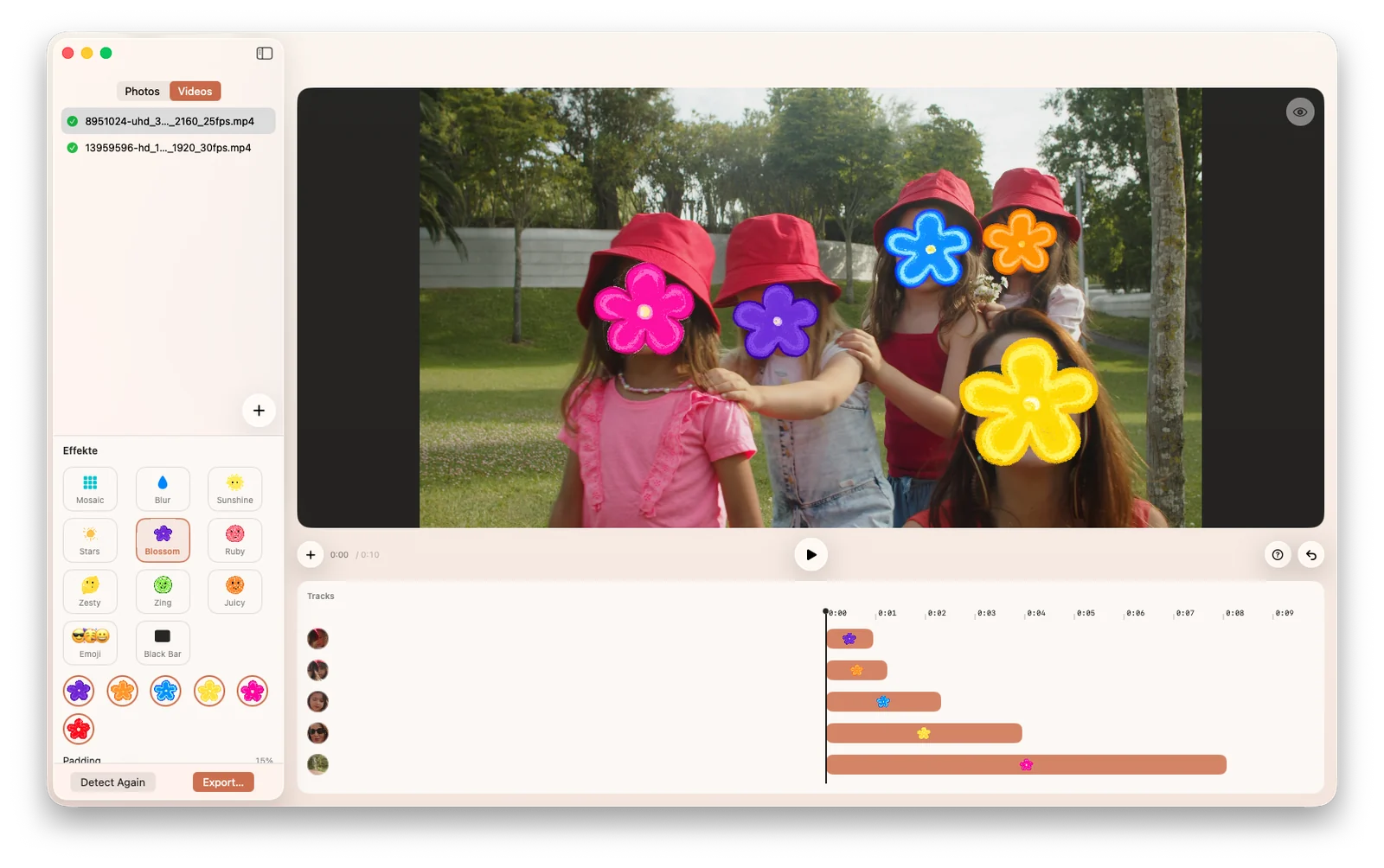
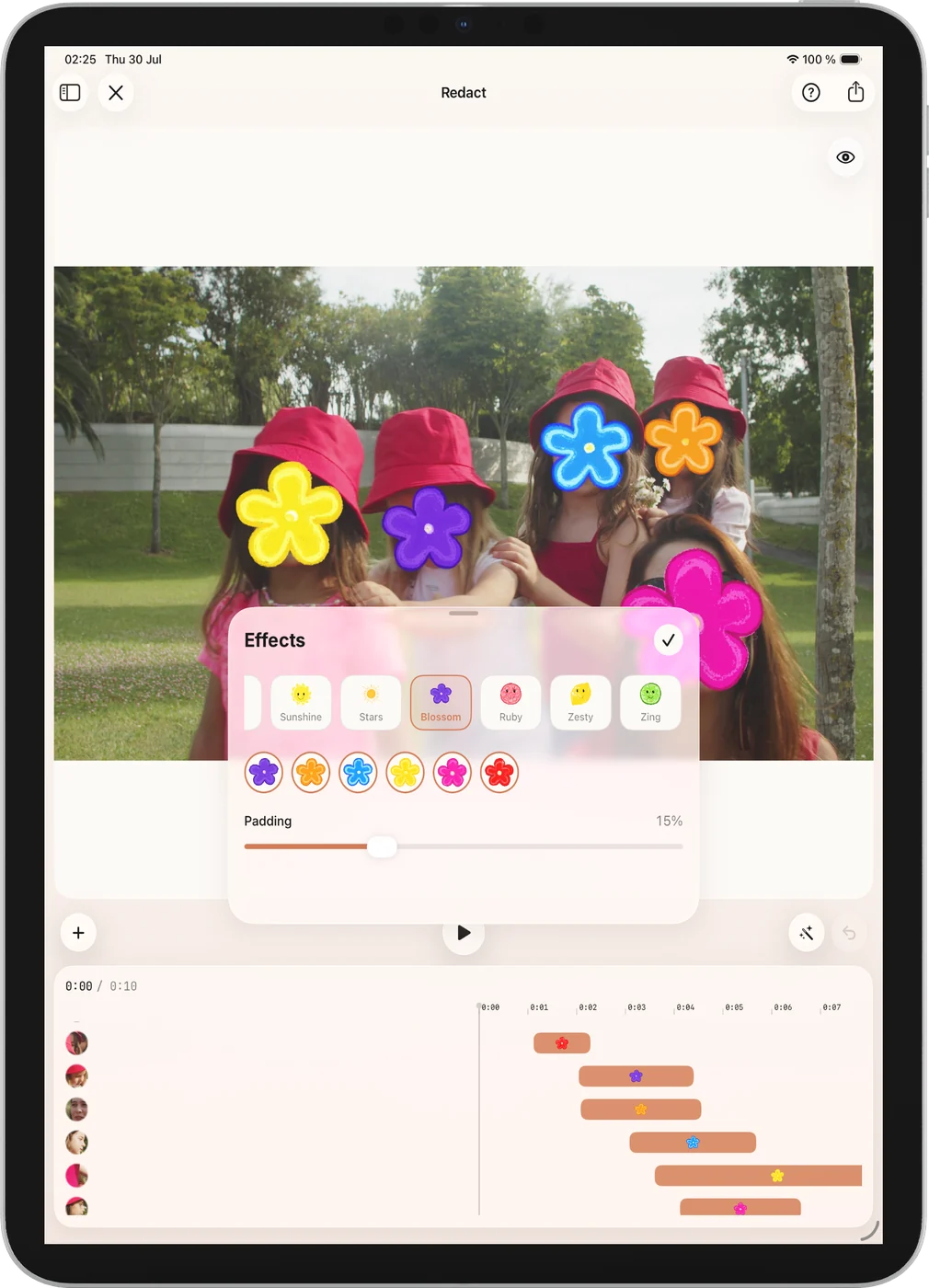
The real leap came with video: detection per frame or adaptively with object tracking in between, boxes consolidated into identity-based tracks with gap bridging and interpolation — editable in a timeline before AVFoundation re-renders the file. What began as a photo tool became a multi-platform app for both media types: macOS for batch work at the desk, iOS and iPadOS for anonymising on the go.
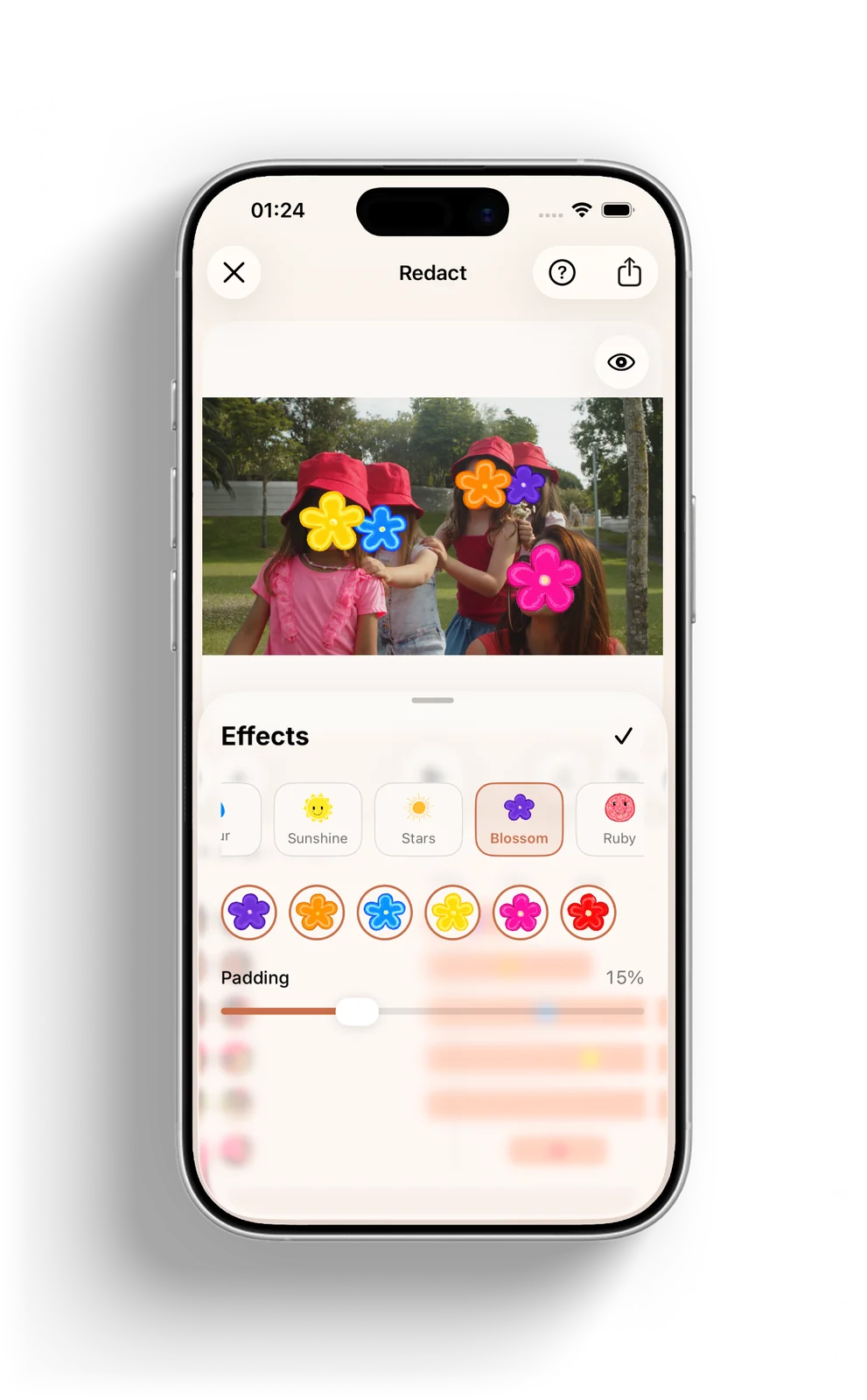
The same engine on three platforms — at the desk for entire folders, on the go for the one photo that's about to hit the group chat.
Fine-tune of the YOLO11m model trained specifically for face detection — ~20M parameters, bounding boxes with confidence, embedded NMS. Its hits are greedy-IoU merged with Apple's Vision framework, which covers profiles and occlusion.
A two-phase pipeline: detection across all frames first — either per frame or adaptively with object tracking between keyframes — then rendering via AVAssetReader/Writer. The audio track passes through untouched.
Individual boxes are linked into per-person tracks by IoU matching — including gap bridging, re-identification, and linear interpolation between the stored keyframes.
Tracks can be toggled, corrected, and given their own effect in a timeline. A live preview shows the result; the file is only re-rendered on export.
A separate detector finds number plates in photos and video — essential for street scenes, car parks, and anything published with a vehicle in frame.
Mosaic, Gaussian blur, black bar, or an overlay — the latter with a single emoji or one of eleven emoji and sticker packs. Strength, padding, and rectangular or elliptical masks are all adjustable.
Inference via Core ML on the ANE — fast enough to batch-process entire photo folders. No internet, no GPU spin-up, no fan.
No cloud, no telemetry, no account. Photos and video never leave the device — all processing happens locally.
Toggle detected faces on/off with a click, add missed faces by dragging. Confidence threshold is adjustable — full control over the output.
Drop single images or entire folders — on macOS even straight from a Finder right-click. Results land in an anonymized/ subfolder, originals stay untouched.
Optionally remove GPS coordinates, camera model, and timestamps on export — useful when anonymised images should actually be anonymous.
German and English via Apple String Catalog (xcstrings), switchable inside the app. Light and dark theme, onboarding, project library, privacy manifest — all native, all Apple.
Identified YOLOv11m-face as the best balance of accuracy and speed, converted to Core ML via coremltools and packaged as MLProgram.
SwiftUI app with NavigationSplitView, drag & drop, a Core Image pipeline, and TaskGroup-based batch processing. First version: locally pixelating a folder.
Shared code in a RedactCore package, platform-specific UI for iOS/iPadOS, memory crashes on large photos fixed via ImageIO downsampling.
Localisation (DE/EN) via xcstrings, privacy manifest, app icons, splash font — and finally the App Store launch.
Frame extraction, detection modes, and track building in RedactCore; rendering via AVAssetReader/Writer with audio passthrough — the same services power both apps.
Where the real work went: keeping tracks stable, bridging gaps — and keeping memory in check so iOS doesn't kill the app on 4K footage.
Effects are composited over the player in real time instead of being written to a file. Rendering happens on export only — plus a timeline and per-track effects.
Monetisation via StoreKit 2 with a subscription and a one-off lifetime option. The entitlement is runtime state, and the render paths check it themselves — not the UI.
Redact is free on the App Store — face and licence-plate detection, mosaic and blur, unlimited photo export. Redact Pro unlocks the remaining effects and full video export. If you're looking for a similar on-device solution for your project, or have feedback, I'd love to hear from you.